Short answer: Confluence Cloud's built-in export for an individual page is Word or PDF. Its CSV export is a space export intended for moving Confluence content—not a clean spreadsheet file for one table. For a single table, copy and paste can work for a small one-off job; for repeatable CSV or Excel exports, use a table export workflow.
What Confluence's built-in exports do
Confluence has different export options for a page and for a space:
- One page: open the page's More actions menu, choose Export, then export it to Word or PDF. These formats are for sharing or reading a page, not for extracting one table as spreadsheet data.
- A space or selected content: a space administrator can open Space settings → General → Export space and choose CSV, HTML, XML, or PDF. The CSV option creates a space export archive and is intended for importing content into another Confluence Cloud site; it is not a standalone CSV of one table.
See Atlassian's current Confluence Cloud export instructions for permissions and export details.
Ways to export one table
Copy and paste for a small, occasional table
- Open the Confluence page and select the table cells you need.
- Copy them, then paste into Excel or Google Sheets.
- Check the column boundaries, links, and values before using the data.
This is convenient for a quick transfer, but larger or more complex tables may need manual cleanup. Treat the pasted sheet as a copy: changes made in Excel or Sheets won't update the Confluence table.
Use a table export workflow for CSV or Excel
If you need a clean file for one table—especially as part of a recurring report—use a tool that exports table data directly. Table Import Export for Confluence provides an export dialog where you can name the file, choose an available format such as CSV or XLSX, and select Export.
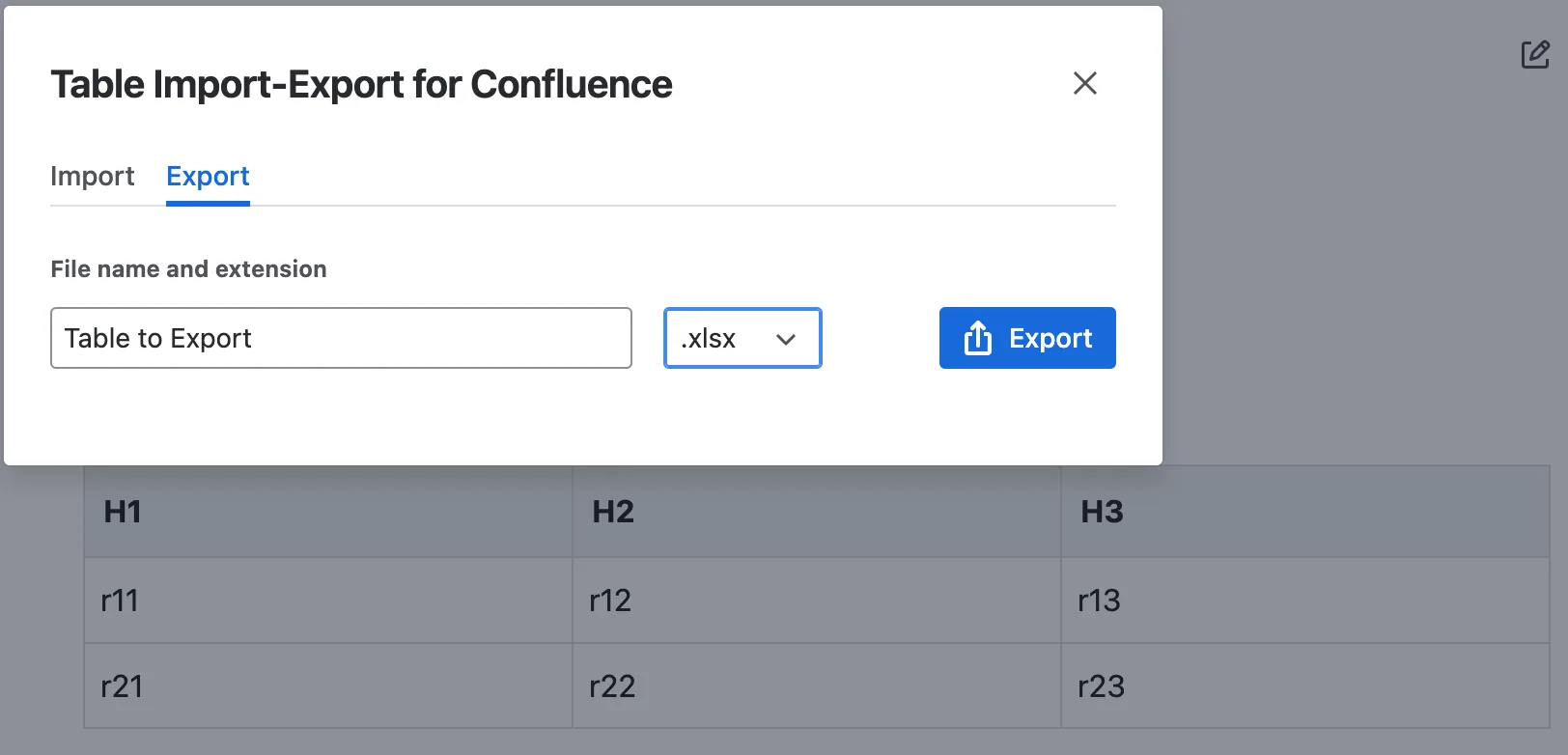
For the full app overview, formats, and installation link, visit Table Import Export for Confluence. If you're moving data in the other direction, see our guide to importing tables into Confluence.
Which option should you use?
| Method | Best for | Keep in mind |
|---|---|---|
| Copy and paste | A small, one-off table | Check the pasted data; cleanup may be needed. |
| Page export to Word or PDF | Sharing or reading a page outside Confluence | Not a spreadsheet export of a single table. |
| Space CSV export | Moving space content to another Confluence Cloud site | Exports space content as an archive, not one table as a spreadsheet. |
| Table export app | Getting an individual table into CSV or Excel | Requires the app to be installed on your Confluence site. |
For more detail on the table-to-file workflow, read how to export tables from Confluence.
Common questions
Can I export just one Confluence table as CSV without an app?
Atlassian's documented page export options are Word and PDF, while CSV is offered as a space export. For a small table, copying and pasting is a manual workaround; for a direct table-to-file export, use a table export workflow.
Is Confluence's space CSV export the same as a spreadsheet?
No. It's a space-content export archive intended for moving content between Confluence Cloud sites. It isn't designed to give you one table's rows in a ready-to-analyze spreadsheet.
Should I choose CSV or Excel?
CSV is a simple format for moving table values between tools. Choose an Excel workbook format when you specifically need an XLSX file. In either case, check that the downloaded data matches the table you intended to export.